Features
Managing User Roles
If you have access to your user settings, you can add users to the platform, assign roles, and manage users across the platform. In this article, we will learn about,
- User roles and permission
- Managing platform users
User Roles and Permission
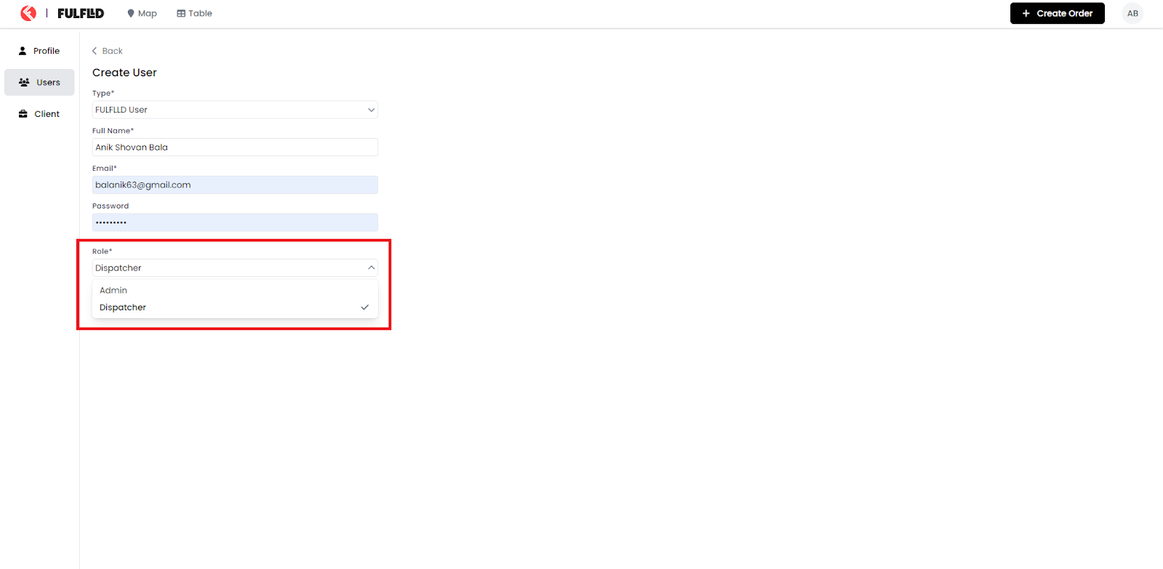
You can assign users to the following roles.
Admin
Administrator (admin) users can access everything and view and modify all orders. Admins also manage individual users, create clients, configure orders, and adjust organisation settings.
Dispatcher
Ensures that everything runs smoothly by coordinating with customers, providing precise logistics for drivers to follow along on their routes, and coordinating delivery times.
Driver
Driver ensures the successful pick-up and drop-off of an order. They view and initiate the delivery of the order from the driver app.
Managing Platform Users
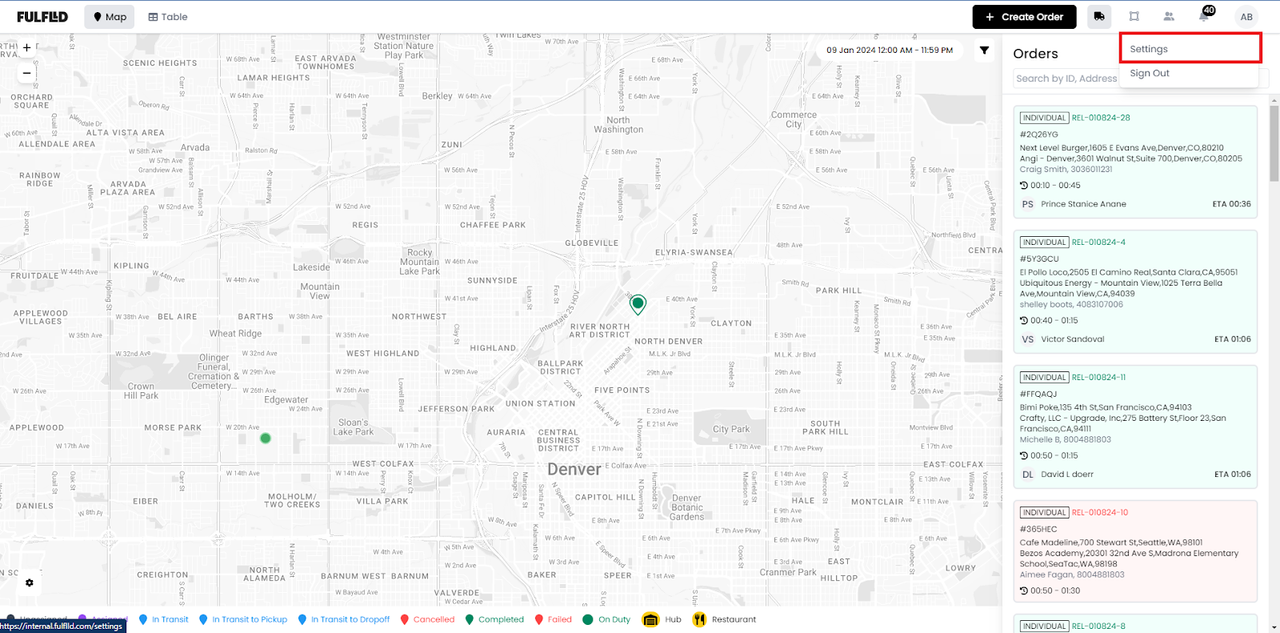
Admins and dispatchers can manage users from the settings page, https://app.fulflld.com/settings. They can add users to the platform, and assign roles to them following the steps below.
Navigate to the settings page, https://app.fulflld.com/settings, from the avatar dropdown.
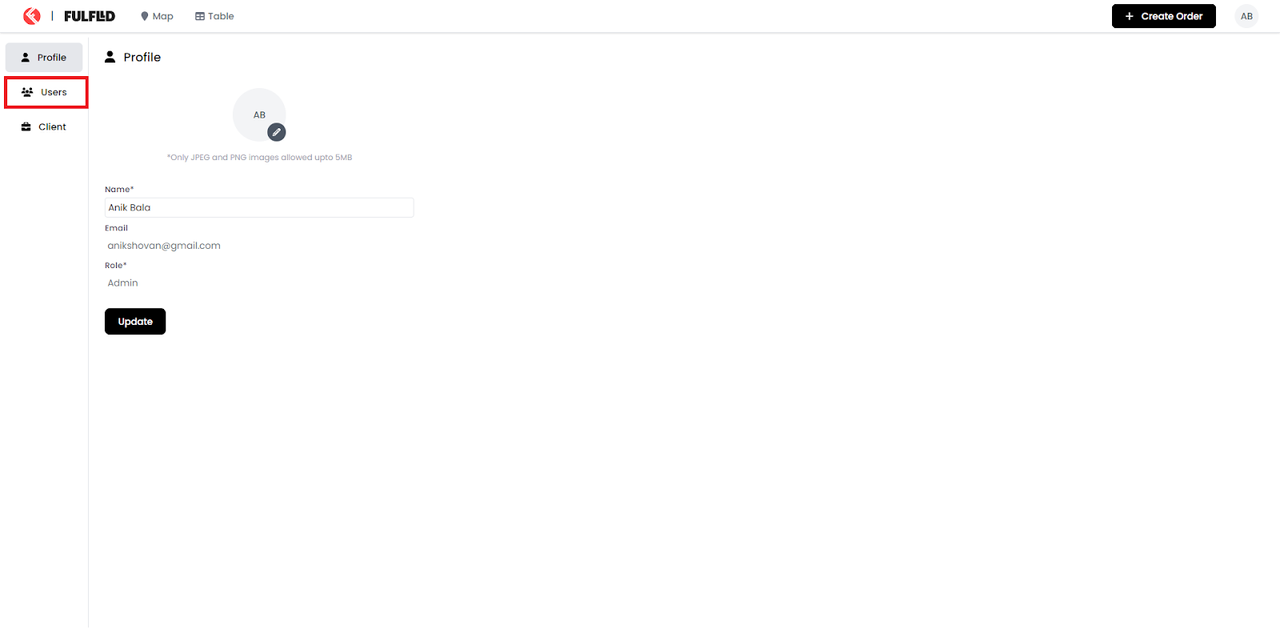
This will redirect you to your profile. Select Users from the left navigation bar.
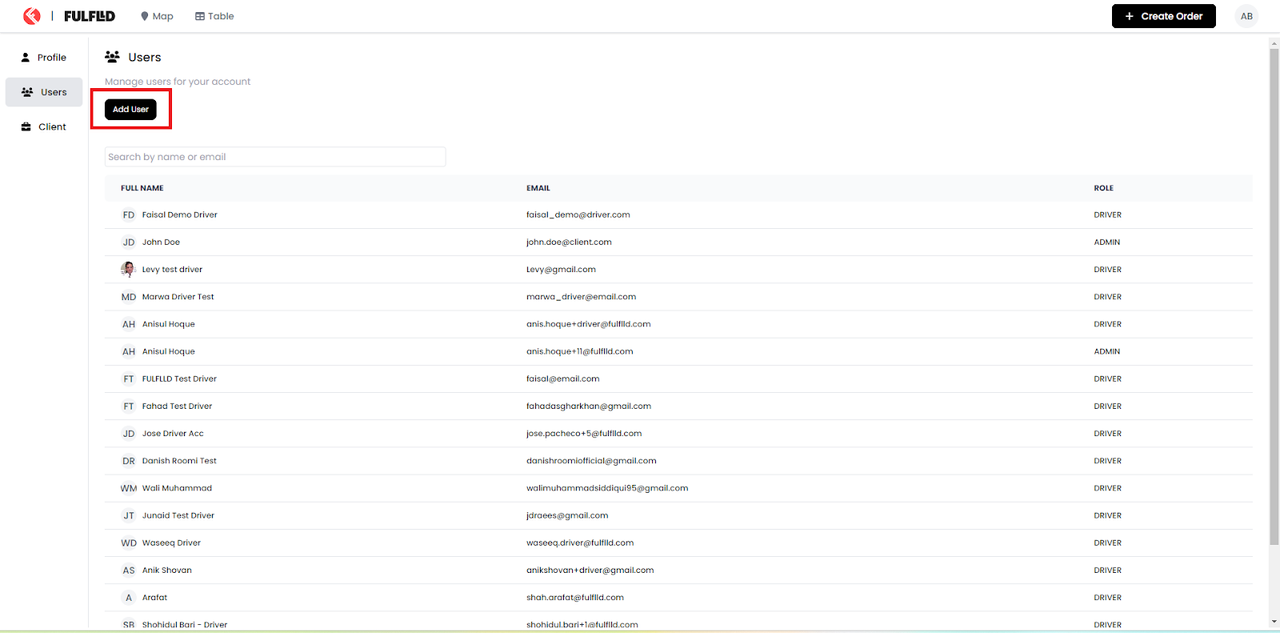
Click on the “Add User” button.
Choose the user type in the Create User form.
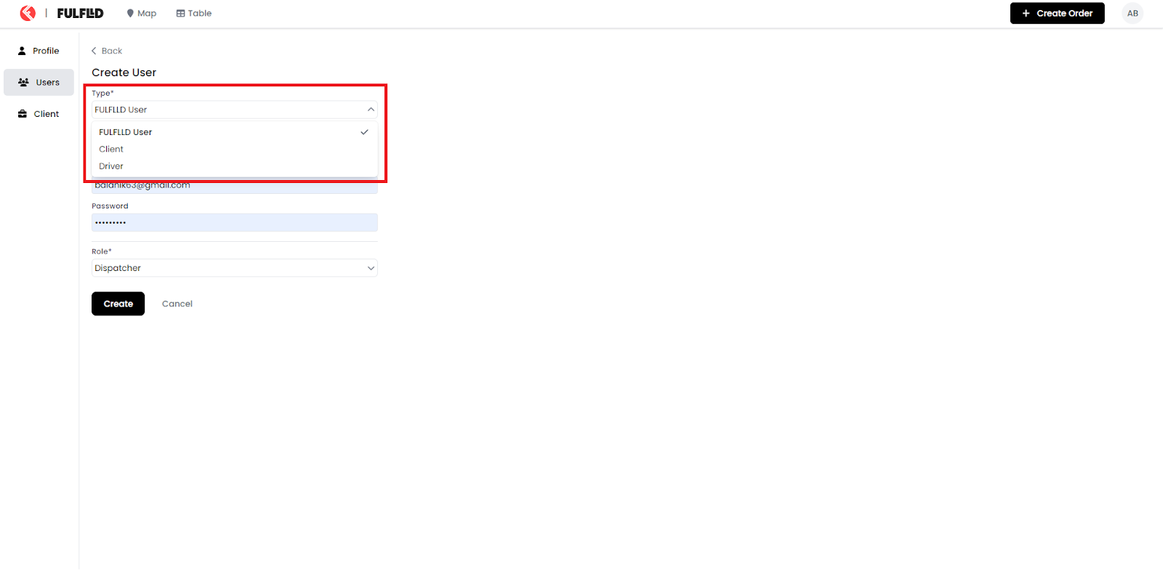
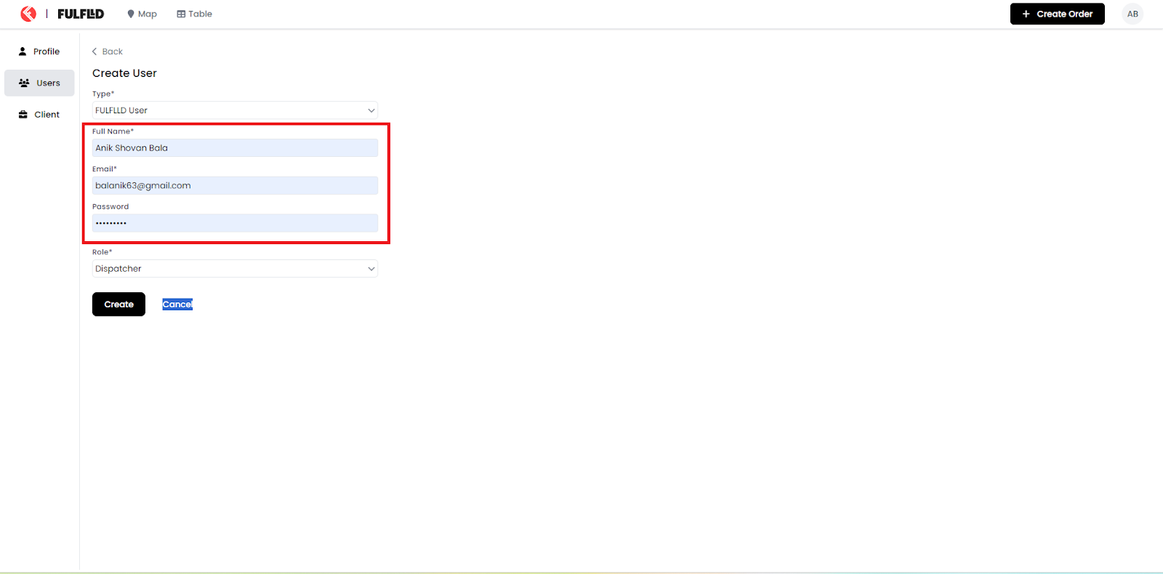
Add the Full Name of the user, Email and Password.
Select the role for the user.
Click the "Create" button.
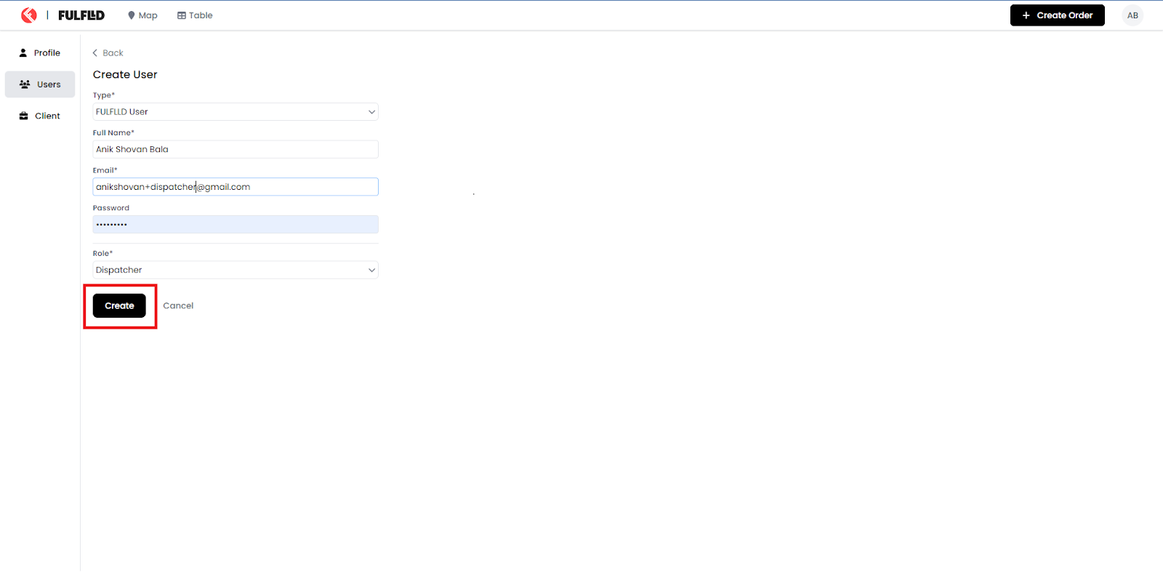
After creating the user, you will get a successful notification on top of the screen and you can search the user in the user list. share the credentials with the user and they will be able to login to the platform from https://app.fulflld.com/.